The curious case of the Raspberry Pi in the network closet
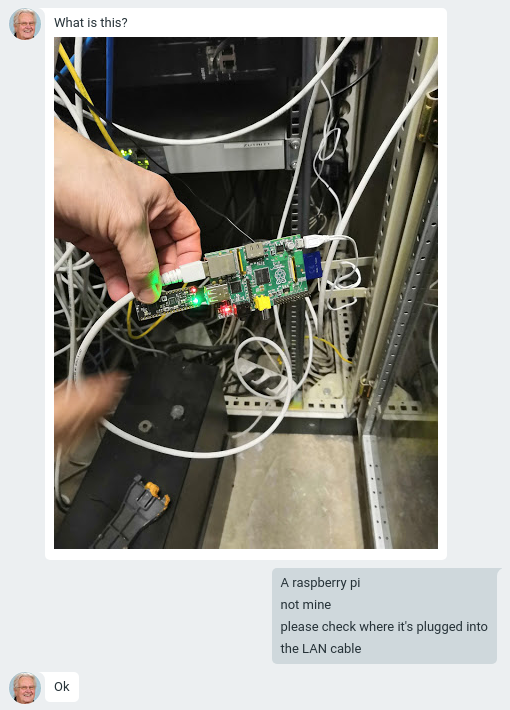
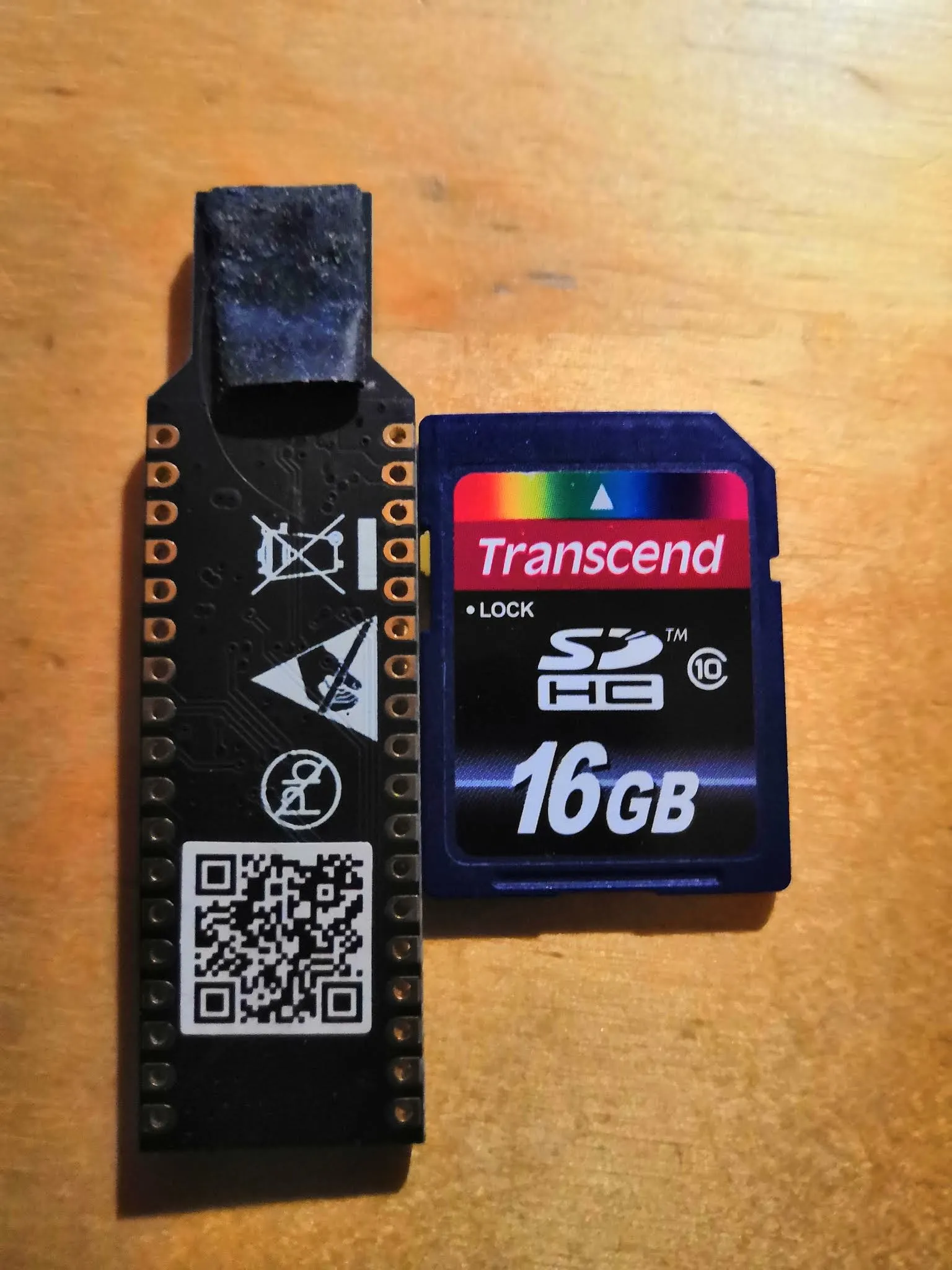
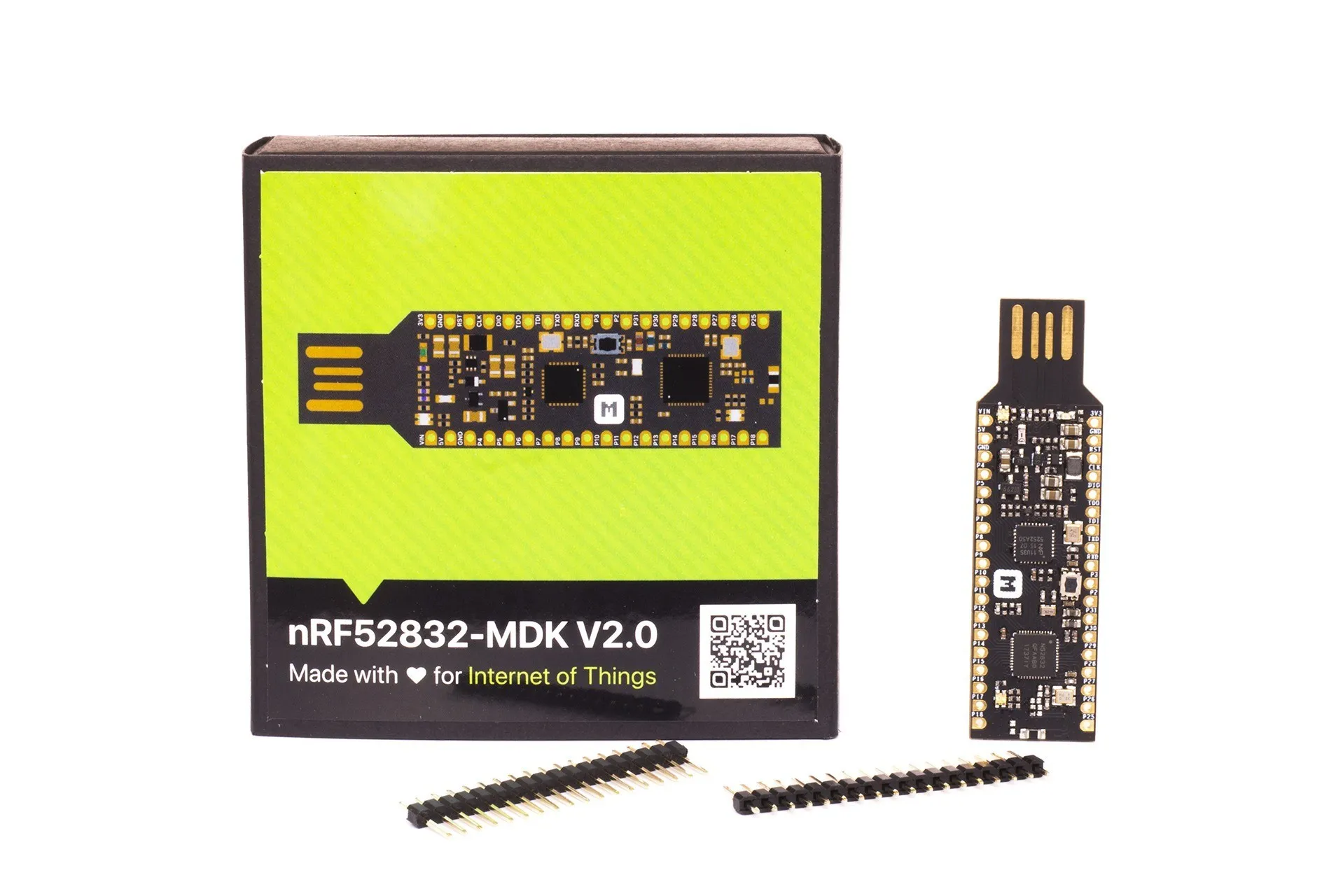
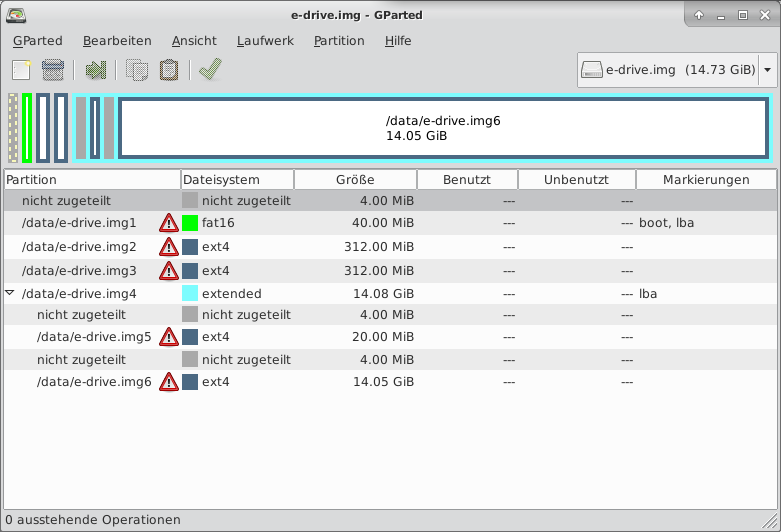
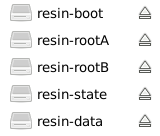
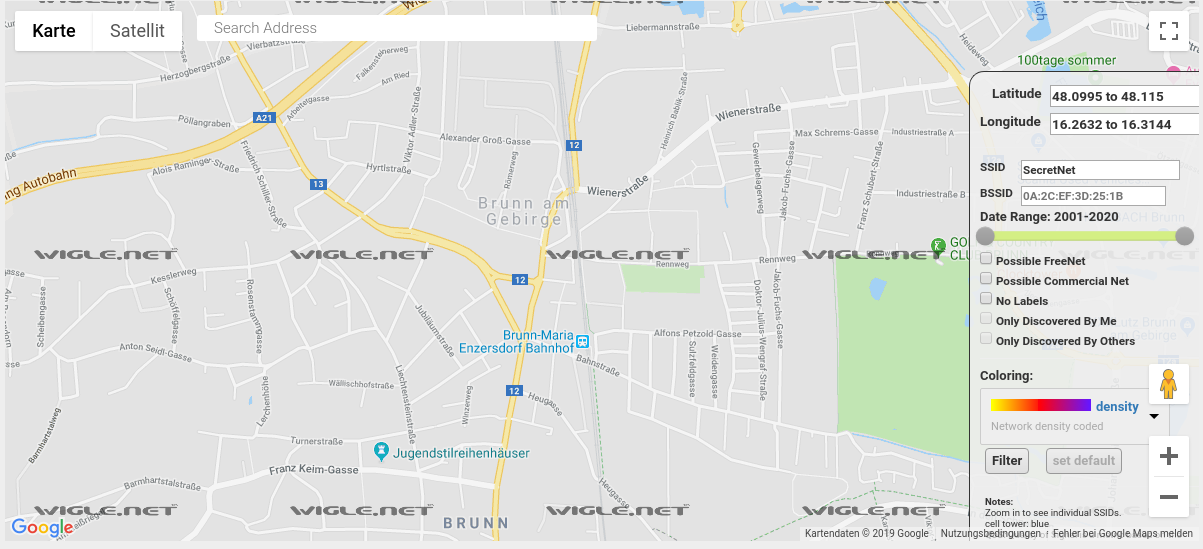
<html> <p>Last week I got a message from a co-worker with an image attached.</p> <figure><img src=„https://pictshare.net/hdkhikv83m.png“ class=„img-responsive“/><figcaption>Message from my co-worker</figcaption></figure><p>I asked him to unplug it, store it in a safe location, take photos of all parts and to make an image from the SD card (since I mostly work remote). I have worked on many Raspberry Pi projects and I felt confident I could find out what it does.</p> <p>At this point nobody thought it was going to be malicious, more like one of our staffers was playing around with something.</p> <p>There were 3 parts:</p> <ul><li>A Raspberry Pi b first generation</li> <li>a mysterious USB dongle</li> <li>a 16GB sd card (a fast one)</li> </ul><figure><img src=„https://pictshare.net/gfss00puet.jpg“ class=„img-responsive“/><figcaption>USB dongle and SD card</figcaption></figure> <p>The number of people who can access this small cabinet is very limited. Only 4 people have a key for this room:</p> <ol><li>The manager</li> <li>The groundskeeper</li> <li>My co-worker</li> <li>Me</li> </ol><p>None of them knew anything about this so I asked my IT colleagues and they were as baffled as I was. I heard of people getting paid to put things like this in places they shouldn't and for this reason I was very interested in finding out what it actually does.</p> <p>To help me solve this mistery <a href=„https://www.reddit.com/r/sysadmin/comments/9xveq5/rogue_raspberrypi_found_in_network_closet_need/“>I asked reddit</a> and surely enough they identified the dongle as a microprocessor, almost as powerful as the Rasberry Pi itself: the <a href=„https://wiki.makerdiary.com/nrf52832-mdk/“>nRF52832-MDK</a>. A very powerful wifi, bluetooth and RFID reader.</p> <figure><img src=„https://pictshare.net/lrc3fnqrl7.jpg“ class=„img-responsive“/><figcaption>The nRF52832-MDK usb dongle</figcaption></figure><p>This was - no doubt - to give the old Raspberry Pi a wifi and bluetooth connection. Great so now this thing has wifi too..</p> <p>The SD card has a few partitions. Most ext4 (linux) and one fat16 (boot)</p> <figure><img src=„https://pictshare.net/htpg3y9xhu.png“ class=„img-responsive“/><figcaption>GParted view of the image</figcaption></figure><p>Great, time to mount it.</p> <p>My debian box told me the first big clue: It's a resin installation</p> <figure><img src=„https://www.pictshare.net/wt9hqp.png“ class=„img-responsive“/><figcaption>Resin partitions on the SD Card</figcaption></figure><h2>WTF is Resin?</h2> <p><a href=„https://www.balena.io/“>Resin (now renamed to Balena)</a> is a paid <a href=„https://www.balena.io/what-is-balena“>IOT web service</a> where you can generate images for IOT devices, deploy those devices and get updates and data from and to resin.</p> <p>Resin also installs a VPN on the device so the collected data is transferred securely. Obviously this device was meant to be picked up again since it leaves a trail as the service is a paid one.</p> <h2>Closer look at the partitions</h2> <p>First partition is called <strong>„resin-boot“</strong></p> <figure><img src=„https://www.pictshare.net/n7rq00.png“ class=„img-responsive“/></figure><p>See something that catches your eye? We got a
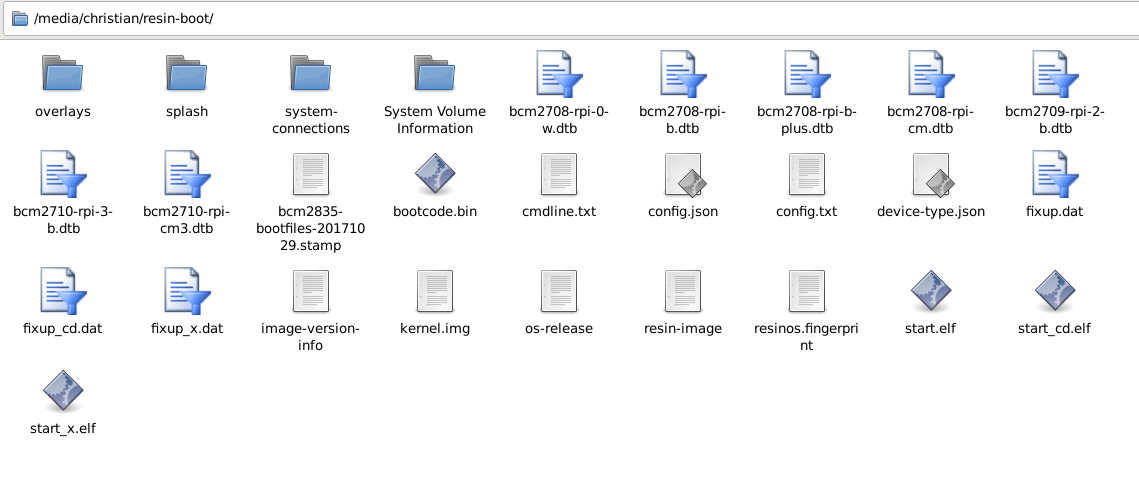
config.json
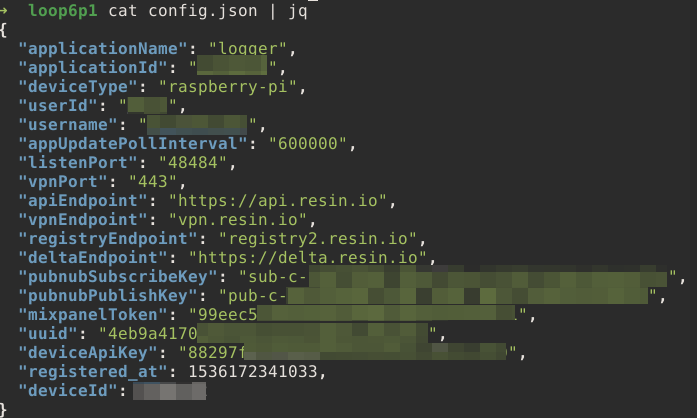
. Quick jackpot?</p> <figure><img src=„https://www.pictshare.net/y9tq3d93ru.png“ class=„img-responsive“/><figcaption>config.json on the resin-boot partition</figcaption></figure><p>What we can extract from this file:</p> <ol><li>The application deployed to this resin device is called <strong>„logger“</strong>. Not a good sign</li> <li>We got a <strong>username</strong>. This seems to be the username for the resin account associated with this device</li> <li>Confirmation that the device used a <strong>VPN</strong> via Port 443</li> <li>A registration date. It was registered (or first deployed or set up?) on <strong>May 13th 2018</strong></li> </ol><h3>About that username..</h3> <p>When I googled the username found in the config.json file I found a person in the same town where this Pi was found. The company then checked their records for this person but found nothing.</p> <p>Oddly enough I found a website from 2001 where parents of „gifted children“ write articles about them and for some reason sign those articles with their home address and phone numbers. So I have a name and the address of this whole family.</p> <figure><img src=„https://pictshare.net/800/9drvd1.jpg“ class=„img-responsive“/><figcaption>Not the actual site but a similar one</figcaption></figure><p>This could be a wrong lead as usernames tend to be used by multiple people but let's just keep that name in mind.</p> <h3>resin-data</h3> <p>The data directory didn't have any data stored (as in: <em>collected data</em>) but there was a nodejs app which was heavily obfuscated and to this day I can't tell exactly what it was doing. It seems to talk via a serial connection to the dongle but I can't extract what data is actually collected. I can only assume that it collected movement profiles of bluetooth and wifi devices in the area (around the Managers office) and maybe raw wifi packets.</p> <p>But I found something much more interesting: a

LICENSE.md
file</p> <figure><img src=„https://www.pictshare.net/7ora0e.png“ class=„img-responsive“/><figcaption>Screenshot of the LICENSE.md file</figcaption></figure><p>Odd.. Why would this nodejs app include a confidential piece of software? I googled the company from the copyright header and guess what?</p> <p>It is beyond me why a co-founder of a company would distribute these devices around town but well..</p> <hr/><h2>Getting the attackers home address</h2> <p>Another very interesting thing I found was a file on the third partition (

resin-state
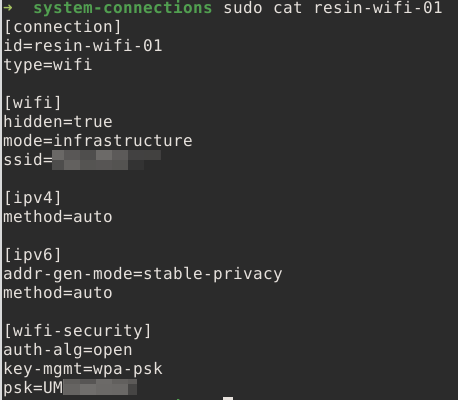
) in the path
/root-overlay/etc/NetworkManager/system-connections/
. The file is called <strong>resin-wifi-01</strong> and guess what it contains?</p> <figure><img src=„https://www.pictshare.net/8vdh9k.png“ class=„img-responsive“/></figure><p>It contains the wifi credentials to the wifi that was used to set the device up (or to test it). Definitely not the wifi of the company. And what do we do, when we want to find out a location associated with a wifi name? We go to wigle.net, enter the SSID (=wifi name) and it tells us where on the world it is found.</p> <figure><img src=„https://www.pictshare.net/6ztf78.png“ class=„img-responsive“/><figcaption>not the actual name and not the actual location</figcaption></figure><p>And guess what? The address we found of that gifted persons parents? <strong>That's exactly where our Pi was set up</strong> according to Wigle.net</p> <h2>How and when did the Pi even get there?</h2> <p>I checked the DNS logs and found the exact date and time when the Pi was first seen in the network. I checked the RADIUS logs to see which employee was at the premises at that time and I saw multiple error messages that a deactivated account tried to connect to wifi.</p> <p>That deactivated account belongs to an ex employee who (for some reason) made a deal with management that he could still have a key for a few months until he moved all his stuff out of the building (don't ask..).</p> <h2>What now</h2> <p>Legal has taken over, I did my part and the rest is over my pay grade.</p> <p>For me it was a very interesting challenge and I'd like to thank every person on reddit who helped me with one piece of the puzzle.</p> </html>
 Falls nicht anders bezeichnet, ist der Inhalt dieses Wikis unter der folgenden Lizenz veröffentlicht: CC Attribution-Noncommercial-Share Alike 4.0 International